
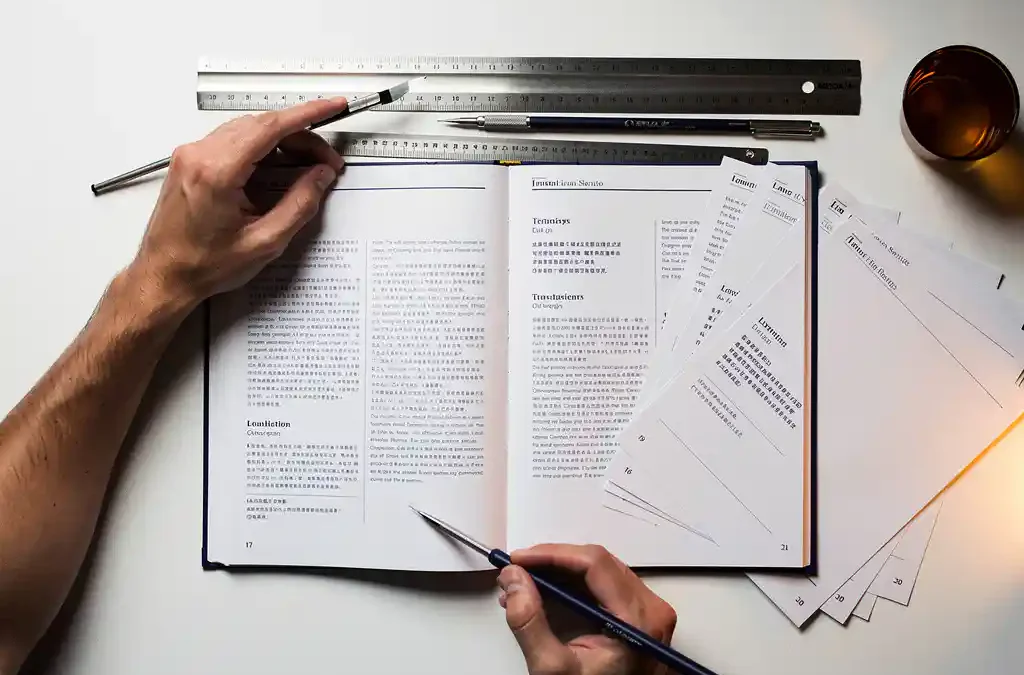
Yes, you almost certainly need DTP after translation. When text is translated, it expands or contracts, fonts change, text boxes overflow, and the entire visual layout of your document can break. DTP (Desktop Publishing) is the process of restoring and optimising that layout so your translated document looks as polished and professional as the original. This applies to any document that combines text with design, whether that is a product manual, a brochure, or a software interface. The sections below walk through the most common questions people have about DTP and how it fits into the translation process.
What happens to document formatting after translation?
After translation, document formatting almost always breaks to some degree. Text in German or Dutch can run 30% longer than the same content in English, while languages like Chinese or Japanese compress into far fewer characters. The result is overflowing text boxes, misaligned images, broken bullet points, and inconsistent spacing throughout the document. None of this is a translation error. It is a structural consequence of moving content between languages.
The problem compounds when the source document uses custom fonts that do not support the target language’s character set, or when a right-to-left language like Arabic requires the entire page layout to be mirrored. Even a simple paragraph can shift an entire page if the line breaks change. For documents that will be printed, distributed, or published, these issues must be resolved before the file reaches its audience. That is exactly where DTP comes in, and it is why translation and localisation are most effective when DTP is built into the same workflow from the start.
What does a DTP specialist actually do?
A DTP specialist takes the translated text and reformats the document so it matches the visual quality and structure of the original. This includes reflowing text to fit existing layout containers, adjusting font sizes and line spacing, repositioning images and captions, correcting hyphenation and line breaks, and ensuring that the document’s overall design remains consistent across all pages.
Beyond layout fixes, a DTP specialist also handles language-specific formatting rules. This means applying correct number formats, date styles, and punctuation conventions for the target market. For right-to-left languages, they restructure the entire page flow. For documents with tables, charts, or infographics, they update every text element within those graphics. The goal is a final file that a reader in the target market would never recognise as a translation. It should simply look like a document that was created in their language from the beginning.
Which file types and industries need DTP the most?
DTP is most critical for file types that embed text within a designed layout. The industries and formats that rely on it most heavily are those where visual presentation directly affects usability, compliance, or brand perception.
- Technical documentation: User manuals, installation guides, and safety data sheets often span dozens of pages with precise formatting requirements, sometimes regulated by industry standards.
- Marketing and sales materials: Brochures, catalogues, and product sheets are designed to persuade, so any layout inconsistency undermines the message.
- Software interfaces and help files: UI strings and on-screen text must fit within fixed interface elements, making character-level precision essential.
- Packaging and labels: Regulatory requirements in many markets dictate exactly how text must appear, leaving no room for layout errors.
- Training materials and e-learning content: Slide decks and course documents combine text, visuals, and structure in ways that break easily under translation.
Industries such as technology, manufacturing, medical devices, and consumer electronics are particularly heavy users of DTP after translation because their documentation is both complex and subject to strict quality standards.
What’s the difference between DTP and simple text formatting?
Simple text formatting means applying basic styling within a word processor, such as making text bold, changing a font, or adjusting a margin. DTP is a professional-grade discipline that works with page layout software and production-ready files to control every visual element of a document at a much more precise level.
In a word processor, text reflows automatically and the software handles most layout decisions for you. In DTP, the specialist works within fixed design grids, manages layers, controls typography at the character level, and prepares files for print or digital publishing. The tools are different, the skill set is different, and the output quality is different. When a translated document needs to go to a professional printer or be published as a branded PDF, simple text formatting is not sufficient. DTP ensures that colours are print-ready, bleed and crop marks are correct, and every element sits exactly where the design requires it.
When can you skip DTP after translation?
You can skip DTP when the document has no fixed layout and the translated text will reflow freely without breaking anything. Plain text files, simple email copy, and basic web content managed through a CMS typically fall into this category. If the document has no images, no columns, no tables, and no design elements, a translator’s formatted output is usually sufficient.
Internal documents that will never be seen by customers or regulators are another case where full DTP may be unnecessary. A translated meeting summary or internal policy document in a standard word processor format rarely needs the same treatment as a printed product catalogue. The deciding question is whether the document’s visual presentation matters to its audience or its purpose. If it does, DTP is not optional. If the document is purely functional and its appearance is irrelevant, you can reasonably skip it.
How do translation and DTP work together as one process?
Translation and DTP work best as a single integrated process rather than two separate steps handed off sequentially. When a translator works directly from the source layout file, the DTP specialist can apply corrections as translation progresses, catching layout issues early rather than discovering them after the entire document has been translated. This reduces revision cycles and shortens overall turnaround time.
The most efficient workflows use translation memory tools alongside DTP software so that repeated text elements, such as headers, footers, and standard warnings, are translated consistently and formatted consistently at the same time. Terminology databases ensure that technical terms appear identically across both the translated text and any graphics or diagrams that contain labels. When these processes are managed under one roof, the result is a document that is linguistically accurate, visually correct, and ready for its intended use without unnecessary back-and-forth between separate vendors.
We manage translation and DTP as one seamless process, which means your documents move from source to finished layout without losing quality at any stage. If you would like to discuss a specific project or want to understand what is involved for your file types and languages, you are welcome to get in touch or request a quote directly.
Frequently Asked Questions
How much does DTP after translation typically cost, and what factors affect the price?
DTP costs vary based on document complexity, page count, number of target languages, and the file format involved. A simple brochure in one language will cost considerably less than a 200-page technical manual localised into five languages with embedded graphics and tables. The most reliable way to get an accurate figure is to request a quote with your actual source files, as pricing is almost always project-specific rather than based on a flat rate.
How long does the DTP stage add to a translation project's turnaround time?
When DTP is integrated into the translation workflow from the start rather than treated as a separate final step, the additional time is minimal and often overlaps with translation itself. For a standalone DTP pass on a completed translation, expect anywhere from a few hours for a simple document to several days for a complex, multi-page publication. Providing editable source files in the original layout format (such as InDesign or Illustrator) rather than PDFs significantly speeds up the process.
What file formats should I provide to get the best DTP results?
Always provide the original editable source files rather than exported PDFs wherever possible. Formats such as Adobe InDesign (.indd), Illustrator (.ai), QuarkXPress, or even well-structured Word and PowerPoint files give the DTP specialist full access to every layout element. A flattened PDF is the least workable format because text and design elements are locked together, which means the specialist must either recreate the layout or work around significant limitations.
What are the most common mistakes companies make when skipping or rushing DTP?
The most frequent mistake is sending a translated document to print or publication without a DTP review, only to discover overflowing text boxes, truncated headings, or misaligned images after the fact — corrections at that stage are far more expensive than getting it right beforehand. Another common error is assuming that auto-layout tools in word processors will handle text expansion adequately for professional output, which rarely holds true for branded or regulated documents. Rushing DTP also tends to miss language-specific details like correct hyphenation rules, number formatting, or right-to-left page mirroring.
Can DTP handle translations into multiple languages at the same time?
Yes, and handling multiple languages simultaneously is actually one of the efficiency advantages of an integrated translation and DTP workflow. A single master layout can be used as the template for all target languages, with each language version receiving its own DTP pass to address its specific text expansion, character set, and formatting requirements. This approach ensures visual consistency across all language versions and avoids the inconsistencies that arise when each language is processed independently by different teams.
Do I need DTP if my document was originally created in Microsoft Word or PowerPoint?
It depends on how complex the document is and how it will be used. A heavily designed Word document with columns, text boxes, embedded images, and precise formatting will still experience layout breakage after translation and will benefit from a DTP review. A straightforward PowerPoint presentation with translated text that has expanded beyond slide boundaries will need at minimum a formatting pass to ensure nothing is hidden or cut off. If the document will be distributed externally or used in a professional context, a DTP check is always worthwhile regardless of the original tool.
How do I know if a translation provider's DTP output meets a professional standard?
Ask to see samples or case studies of completed DTP work in comparable file types and languages before committing to a project. A reputable provider should be able to show before-and-after examples that demonstrate clean text reflow, correct typography, and layout consistency with the source document. You should also confirm that the team uses industry-standard tools such as Adobe InDesign or Illustrator, and that a quality check is built into the process rather than DTP being treated as a quick formatting afterthought.
Related Articles
- What does it cost to have a multilingual catalogue professionally laid out?
- What are the environmental certifications I should look for when choosing a printing partner?
- How do I make sure my printed materials are ready for international distribution?
- What is the cost of having a professional instruction manual written?
- How do you manage software localisation for multiple markets?