
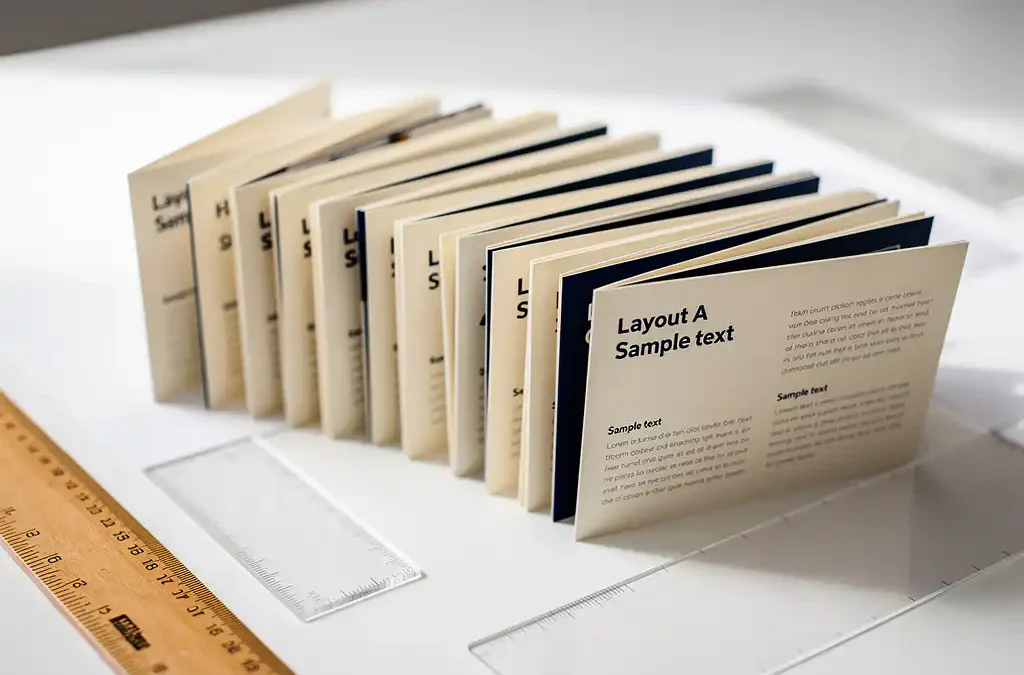
Creating a brochure in 12 languages does not have to become a layout nightmare — as long as you plan for multilingual output from the very beginning. The key is combining smart document architecture with professional translation and localisation expertise, so that each language version maintains visual consistency without requiring a complete redesign. The sections below answer the most common questions teams face when managing a project at this scale.
Why does translating a brochure break the layout?
Translating a brochure breaks the layout because different languages expand or contract the original text by significant amounts. German, for example, can run 30% longer than English, while Chinese or Japanese may occupy far less space for the same content. When translated text no longer fits its original text box, images shift, columns overflow, and the entire visual structure collapses.
Beyond text length, other factors compound the problem. Right-to-left languages such as Arabic and Hebrew require a full mirroring of the layout, not just a text swap. Fonts that work beautifully in Latin script may not support Cyrillic, Greek, or Asian character sets at all. Line spacing, hyphenation rules, and typographic conventions also vary between languages, meaning that a layout optimised for English will almost never transfer cleanly to another language without intervention. This is why brochure translation is fundamentally a design challenge as much as a language one.
What is multilingual DTP and how does it work?
Multilingual DTP (desktop publishing) is the process of adapting a designed document into multiple languages while preserving its visual integrity. It works by taking translated text and reflowing it into the original design files, adjusting text boxes, font choices, spacing, and layout elements so that each language version looks intentional and polished rather than forced.
In practice, a multilingual DTP workflow typically follows these steps:
- The source document is prepared in a professional layout application such as Adobe InDesign.
- Text is extracted and sent for translation, often in a format that keeps it separate from the design.
- Translated text is imported back into the layout files.
- A DTP specialist adjusts each language version to fix overflow, font issues, and any layout breaks caused by text expansion or contraction.
- A native-language proofreader reviews the final layout to catch any errors introduced during the reflow process.
The result is a set of files where every language version looks like it was designed specifically for that market, not retrofitted from another. This process is especially valuable when the brochure contains complex visual elements such as infographics, callout boxes, or tightly integrated text and imagery.
How many languages can a single brochure design realistically support?
A well-prepared brochure design can realistically support 12 or more languages, provided the original layout is built with multilingual flexibility in mind. The number is not the limiting factor; the design architecture is. Layouts with rigid text boxes, decorative fonts, and text embedded in images create problems at any scale.
To make a design scale across many languages, the original should include generous text areas with room to expand, neutral font choices that cover a wide range of character sets, and images or icons that are not culturally specific. When these foundations are in place, adding a twelfth or even a twentieth language becomes a manageable DTP task rather than a structural redesign. The greater the design flexibility built in at the start, the lower the cost and effort per additional language version.
Should you use one file per language or a single multi-language document?
For most brochure projects, separate files per language are the better choice. A single multi-language document becomes unwieldy to manage, difficult to update, and prone to errors when changes in one language accidentally affect another. Separate files keep each version clean, independently printable, and easier to hand off to printers or local teams.
That said, a shared master file approach can work well in specific situations. If your brochure has a large amount of shared visual content and only small language-specific text sections, a layered document with language-specific layers can reduce duplication. However, this approach requires strict version control and a clear naming convention, or it quickly becomes the exact nightmare you were trying to avoid. For a 12-language project, the practical recommendation is one master source file plus one production file per language, all derived from the same design system.
What’s the best way to manage updates across 12 language versions?
The best way to manage updates across 12 language versions is to establish a single source of truth for the content and a clear change management process before the project begins. When the source document changes, every downstream language version must be updated systematically, which means tracking exactly what changed, in which sections, and ensuring only those sections are retranslated and reflowed.
A few practical approaches make this significantly easier:
- Translation memory tools: These store previously translated segments so that when a sentence is reused or only slightly changed, it does not need to be fully retranslated. This reduces cost and turnaround time for updates.
- Structured content tagging: Marking which content blocks are shared across all languages and which are language-specific means updates to shared content can be pushed globally without touching localised sections.
- Version control for design files: Keeping a clear record of which design file corresponds to which content version prevents the common problem of a translator working from an outdated layout.
- A single project coordinator: Whether internal or at your language service provider, one person who owns the update workflow eliminates the confusion that comes from multiple stakeholders pushing changes independently.
Investing in this structure upfront pays back quickly. Brochures are rarely a one-time project, and a well-managed update process means that adding a new product feature or correcting a price across 12 languages takes days rather than weeks.
Who should handle a 12-language brochure project?
A 12-language brochure project should be handled by a language service provider that combines translation, localisation, and DTP capabilities under one roof. Splitting these functions across separate vendors introduces handoff errors, inconsistent terminology, and layout problems that are difficult to diagnose and fix. A single provider that manages the full workflow is both more efficient and more accountable for the final result.
When evaluating who to work with, look for a provider that uses native translators for each target language, has in-house DTP specialists experienced with multilingual layouts, and can demonstrate quality management processes such as ISO 9001 certification. Experience in your specific industry matters too, since a brochure for a technical product requires translators who understand the subject matter, not just the language.
We handle exactly this kind of end-to-end project, from translation and localisation through to DTP, proofreading, and print-ready file delivery across more than 90 languages. If you are ready to get started or want to discuss the scope of your project, you can request a quote or contact us directly and we will be happy to help.
Frequently Asked Questions
How much extra budget should I allow for DTP across 12 languages?
A practical rule of thumb is to budget DTP costs separately from translation costs and expect them to vary by language group. Latin-script languages typically require the least DTP intervention, while right-to-left languages (Arabic, Hebrew) and Asian character-set languages (Chinese, Japanese, Korean) require significantly more time due to layout mirroring, font changes, and spacing adjustments. For a 12-language project, DTP can account for 20–40% of the total project cost, so building this into your budget from the outset avoids unpleasant surprises.
What file formats should I provide to a multilingual DTP team to avoid delays?
The ideal format is native source files from your layout application — Adobe InDesign (.indd) with all linked images and fonts packaged together is the industry standard. Providing a PDF alone forces the DTP team to recreate the layout from scratch, which adds cost and introduces inconsistencies. If your design was built in another tool such as QuarkXPress or Affinity Publisher, confirm compatibility with your provider before the project starts, and always supply an editable version rather than a flattened export.
How do I handle text that is embedded inside images or infographics?
Text embedded in images or infographics is one of the most common sources of delay and added cost in multilingual brochure projects. Ideally, all text should be kept in editable text layers within your layout application rather than flattened into image files. If your infographics were created in tools like Adobe Illustrator, supply the original .ai or .eps files so the DTP team can edit the text directly. For any images where text cannot be separated, budget for the creation of language-specific image variants — this is unavoidable but manageable when planned for in advance.
What is the typical turnaround time for a 12-language brochure project?
Turnaround time depends heavily on the brochure’s word count, complexity, and how well the source files are prepared, but a realistic estimate for a standard 8–12 page brochure across 12 languages is 3–5 weeks from the point of receiving approved source content and final design files. Projects with complex infographics, right-to-left languages, or multiple internal review rounds will sit toward the longer end of that range. Working with a provider that handles translation and DTP in parallel — rather than sequentially — can significantly reduce the overall timeline.
Can I use machine translation to reduce costs on a project this size?
Machine translation (MT) can be used as a starting point for certain language pairs and content types, but for a customer-facing brochure it should always be followed by human post-editing by a native-language specialist. Raw machine translation output frequently contains fluency errors, mistranslated product terminology, and culturally inappropriate phrasing that would undermine your brand credibility. A hybrid approach — MT plus professional post-editing — can reduce translation costs by 20–30% on high-volume projects while still delivering publication-quality results, but it is not suitable for every language pair or content type.
How do I ensure brand consistency in terminology across all 12 languages?
The most effective tool for maintaining terminology consistency is a brand glossary or termbase — a document that defines your key product names, brand terms, and preferred translations for each target language. Providing this to your language service provider before translation begins ensures that terms like product names, taglines, and technical descriptors are handled consistently across all versions. Many providers will also build a translation memory specific to your project, so that approved terminology is automatically reused in future updates, protecting consistency over time.
What should I check during the final review of each language version before approving for print?
Before approving any language version for print, review it against a checklist that covers four key areas: text completeness (no missing or truncated content), visual integrity (no overflowing text boxes, misaligned elements, or broken columns), font rendering (all characters display correctly with no substitution boxes or missing glyphs), and a native-language read-through to catch any errors introduced during the reflow process. Ideally, the native-language proofread should be carried out by someone other than the original translator to provide a fresh perspective. For right-to-left languages, also verify that the full layout — including page numbering and navigation elements — has been correctly mirrored.
Related Articles
- Can I print small runs of my product manuals per target market?
- What is the difference between digital printing and offset printing for large print runs?
- I am looking for a partner who can handle the project management for printing my product documentation.
- What is continuous localisation and how does it work?
- How do you localise mobile applications effectively?