
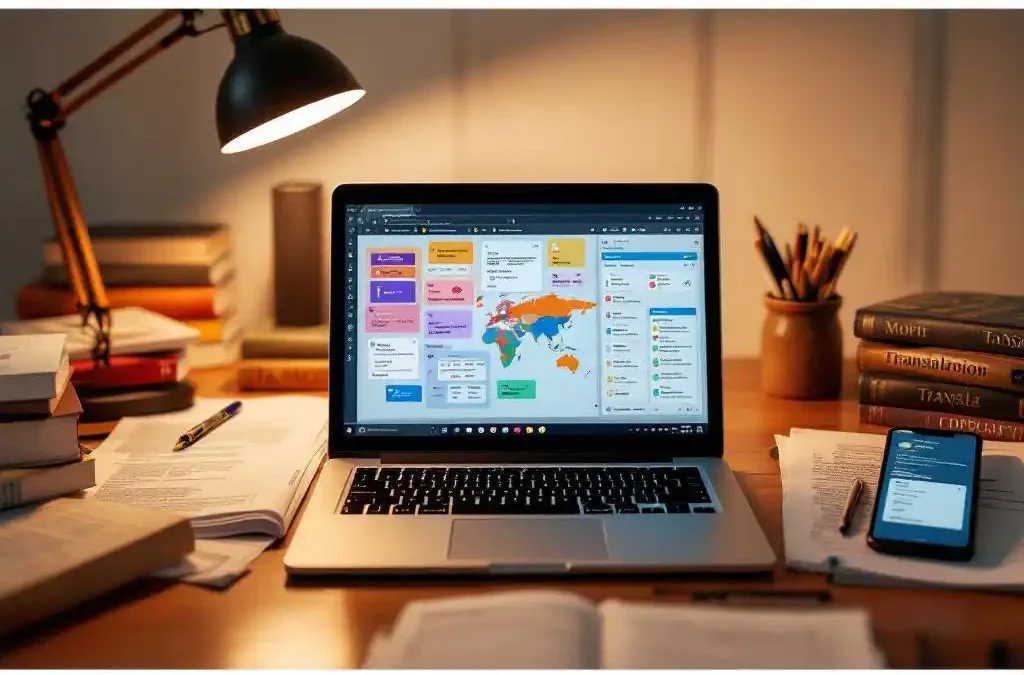
Software localisation requires specialised tools to manage complex multilingual projects effectively. Essential tools include translation management systems, computer-assisted translation (CAT) tools, version control platforms, and automated testing software. These tools streamline workflows, maintain consistency across languages, and integrate with development processes to deliver high-quality localised software efficiently.
What is software localisation and why do you need specialised tools?
Software localisation is the process of adapting software applications for different languages, cultures, and regional markets beyond simple text translation. It involves modifying user interfaces, adjusting layouts for different text lengths, adapting graphics and icons, converting date and number formats, and ensuring cultural appropriateness across all software elements.
Specialised tools become essential because software localisation involves complex technical challenges that manual processes cannot handle efficiently. Software applications contain multiple file formats, including XML, JSON, properties files, and resource bundles, that require specific handling. These files often contain code strings mixed with translatable content, making manual extraction prone to errors.
The complexity increases when managing multiple languages simultaneously. Version control becomes critical as software is updated frequently, requiring coordinated translation updates across all localised versions. Manual tracking of changes, translation status, and quality assurance across dozens of languages quickly becomes overwhelming without proper tooling.
Workflow coordination presents another challenge that requires specialised solutions. Software localisation involves developers, translators, reviewers, and project managers working together. Without proper tools, communication gaps, file conflicts, and inconsistent terminology create delays and quality issues that impact product release schedules.
Which translation management systems work best for software projects?
Translation Management Systems (TMS) designed for software projects offer automated string extraction, version control integration, and real-time collaboration features. Leading platforms include Phrase, Lokalise, Crowdin, and Transifex, each providing API integrations that connect directly with development environments and continuous integration pipelines.
These systems excel at handling software-specific requirements through automated workflows. They can extract translatable strings from source code, maintain context information for translators, and automatically update translation files when developers make changes. API integrations enable seamless synchronisation between development repositories and translation projects.
Key features that make TMS platforms effective for software projects include automated quality checks, terminology management, and progress tracking. They provide translators with context screenshots, character limit warnings, and placeholder validation to ensure translations work correctly within software interfaces.
Version control capabilities allow teams to track changes, compare translation versions, and roll back problematic updates. Many platforms offer automated notifications when new content requires translation, keeping all stakeholders informed about project status without manual coordination.
What are CAT tools and how do they speed up software translation?
Computer-Assisted Translation (CAT) tools are software applications that help translators work more efficiently by providing translation memory, terminology databases, and automated quality assurance features. They store previously translated segments and suggest matches for similar content, significantly reducing translation time and ensuring consistency across software interfaces.
Translation memory technology forms the core of CAT tool functionality. When translators work on software interfaces, the system remembers every translated segment. For software projects with regular updates, this means new versions often contain many segments that match or closely resemble previously translated content, allowing for rapid translation of familiar elements.
Terminology management features ensure consistent translation of technical terms, button labels, and menu items across the entire software application. CAT tools maintain centralised glossaries that automatically suggest approved translations for specific terms, preventing inconsistencies that confuse users.
Quality assurance automation catches common localisation errors before they reach end users. CAT tools can verify that placeholders remain unchanged, check for missing translations, validate that text fits within character limits, and ensure proper formatting of dates, numbers, and currencies according to target locale requirements.
How do you integrate localisation tools with your development workflow?
Integrating localisation tools with development workflows requires connecting translation platforms to version control systems like Git, establishing automated string extraction processes, and implementing continuous localisation practices. Modern integration approaches use APIs and webhooks to synchronise translation updates automatically without disrupting development cycles.
API integrations form the foundation of effective workflow integration. Development teams can configure their repositories to automatically send new or modified translatable content to translation platforms when code changes are committed. This eliminates manual file exports and ensures translators always work with current content.
Continuous integration and deployment (CI/CD) pipelines can incorporate localisation checks and automated translation imports. Build processes can verify that all required translations exist, check for formatting errors, and automatically pull completed translations back into the software build without manual intervention.
Establishing efficient workflows requires careful planning of translation handoffs and approval processes. Teams typically implement branch-based workflows where translation updates are reviewed and tested before merging into main development branches. Automated testing validates that localised versions function correctly across different languages and regions.
Professional localisation services can help establish these integrated workflows effectively. Whether you need comprehensive tool setup, workflow optimisation, or ongoing translation support, experienced teams understand how to balance development efficiency with translation quality. Contact us to discuss your software localisation requirements, or request a quote for your next multilingual software project.
Frequently Asked Questions
How long does it typically take to set up a complete localisation toolchain for a software project?
Setting up a complete localisation toolchain typically takes 2-4 weeks, depending on your existing development infrastructure and the complexity of your software. This includes configuring API integrations, establishing automated workflows, training team members, and conducting initial testing across your target languages.
What happens if my development team pushes updates while translations are in progress?
Modern TMS platforms handle concurrent updates through version control and branching systems. When developers push changes during active translation, the system can identify modified strings, preserve completed translations, and flag only the changed content for retranslation. This prevents translation work from being lost while keeping projects current.
Can I use free or open-source tools for software localisation, or do I need commercial solutions?
While free tools like Weblate or OmegaT can handle basic software localisation, commercial solutions typically offer better integration capabilities, automated workflows, and enterprise-grade features. For small projects or startups, open-source tools may suffice, but scaling to multiple languages and complex workflows usually requires commercial platforms.
How do I handle localisation for mobile apps versus web applications?
Mobile apps require platform-specific considerations like iOS strings files and Android XML resources, while web applications often use JSON or properties files. Many TMS platforms support both formats, but mobile apps may need additional tools for handling app store metadata, screenshots, and platform-specific UI constraints.
What's the best way to handle urgent hotfixes that need immediate translation?
Establish an expedited translation workflow with pre-approved translators and streamlined review processes for critical updates. Many TMS platforms offer priority queues and instant notifications. Consider maintaining a small budget for rush translations and ensure your CI/CD pipeline can handle rapid localisation updates without compromising quality.
How do I measure the ROI of investing in professional localisation tools versus manual processes?
Track metrics like translation turnaround time, error rates, coordination overhead, and missed release deadlines. Professional tools typically reduce translation time by 30-50%, eliminate coordination bottlenecks, and prevent costly post-release fixes. Calculate the cost of developer time spent on manual localisation tasks versus tool licensing fees to determine ROI.
Should I localise my software incrementally or wait until it's feature-complete?
Implement localisation infrastructure early, even if you’re not ready to translate everything immediately. Setting up tools and workflows from the beginning prevents technical debt and makes future expansion easier. You can start with key markets and gradually add languages as your user base grows, but having the foundation in place is crucial.