
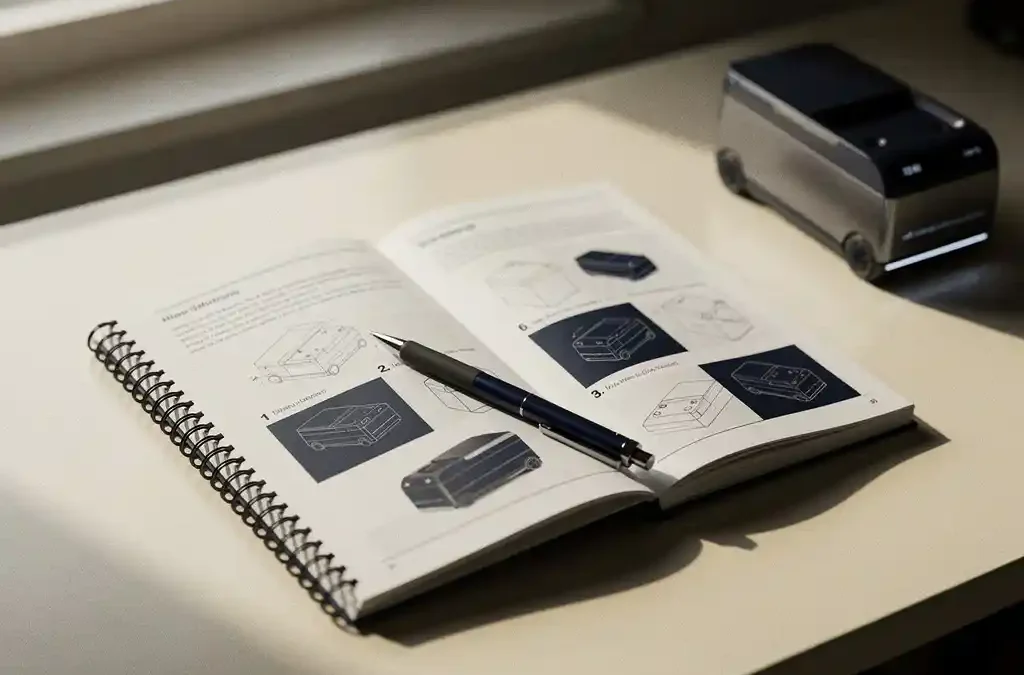
To write a user manual for your product, start by clearly identifying your audience and the tasks they need to complete, then structure the content logically from setup through troubleshooting. A good user manual combines plain language, consistent formatting, and helpful visuals to guide users step by step. Our translation and localisation services can also help you take that manual global once it is ready.
What should a user manual include?
A user manual should include a product overview, safety warnings, installation or setup instructions, step-by-step operating procedures, troubleshooting guidance, maintenance information, and a glossary or index. These core elements ensure users can find what they need quickly and use the product safely and effectively.
Beyond the basics, a strong manual also contains a table of contents for navigation, contact information for technical support, and any relevant compliance or regulatory notices. If your product has multiple configurations or user roles, each should be addressed separately so that different readers can go straight to the section that applies to them. Including version or revision information on the cover page helps users confirm they have the correct documentation for their specific product model.
How do you structure a user manual for easy reading?
Structure a user manual by organizing content in the order users will actually need it: start with a product introduction, move through setup and installation, cover daily operation, then address troubleshooting and maintenance. This task-oriented flow mirrors the user’s real experience and reduces frustration.
Break content into short, numbered sections and use consistent heading levels so readers can scan quickly. Each chapter or section should focus on a single topic. Use numbered lists for sequential steps and bullet points for non-sequential information. White space, clear fonts, and logical page layouts all reduce cognitive load and make the document far easier to navigate, whether it is printed or viewed on screen.
What language and tone should a user manual use?
A user manual should use plain, direct language written at a reading level appropriate for the intended audience. Use active voice, short sentences, and concrete verbs. Avoid jargon unless the audience is technical, and always define specialized terms when they first appear.
Tone should be neutral and helpful rather than formal or conversational. The goal is clarity, not personality. Consistency matters enormously: use the same term for the same component throughout the entire document. If you call a button the “power switch” on page three, do not refer to it as the “on/off button” on page twelve. This consistency prevents confusion and builds user confidence in the product.
How do visuals and diagrams improve a user manual?
Visuals and diagrams improve a user manual by making complex instructions easier to understand at a glance. A labeled diagram of a product’s components, an exploded assembly view, or a simple flowchart can communicate in seconds what several paragraphs of text cannot.
Screenshots are particularly valuable in software documentation, while photographs or technical line drawings work well for hardware. Visuals reduce translation ambiguity as well, since a clear image of the correct cable connection leaves little room for misinterpretation regardless of the reader’s language. Always place visuals as close as possible to the related text, and number or caption them so they can be referenced directly within the instructions.
Should a user manual be translated into other languages?
Yes, a user manual should be translated into the languages of every market where the product is sold. In many regions, local-language documentation is not just good practice but a legal requirement. Translating your manual also demonstrates respect for your customers and significantly reduces support costs caused by misunderstandings.
Effective translation goes beyond word-for-word conversion. Localisation adapts content to account for regional conventions, measurement units, regulatory terminology, and cultural expectations. At Crestec Europe, we cover over 90 languages using native translators as standard practice, ensuring that the translated manual reads as naturally and clearly as the original. Combining translation with DTP services means the formatted layout is also preserved correctly across all language versions, so the final document looks professional in every market.
What tools do technical writers use to create user manuals?
Technical writers use a range of tools depending on the complexity and format of the manual. Common categories include content authoring tools, desktop publishing software, and content management systems. The right choice depends on output format, team size, and whether the content will be reused across multiple documents.
- Authoring tools: Applications such as MadCap Flare, Adobe RoboHelp, or oXygen XML Author are widely used for structured, single-source documentation that can be published in multiple formats simultaneously.
- Desktop publishing software: Adobe InDesign and Adobe FrameMaker are industry standards for producing print-ready manuals with precise layout control.
- Word processors: Microsoft Word remains common for simpler manuals, particularly in smaller organizations or for early drafts.
- Graphics and diagramming tools: Adobe Illustrator, Visio, or Snagit are used to create and annotate diagrams, screenshots, and technical illustrations.
- Translation management systems: When manuals are destined for multiple languages, tools such as SDL Trados or memoQ integrate with authoring workflows to streamline the localisation process.
Choosing tools that support structured content and translation-friendly file formats from the start saves significant time and cost when the manual needs to be localised later.
Writing a user manual that truly serves your customers takes careful planning, clear language, and the right structure. When you are ready to take your documentation into new markets, we are here to help. Request a quote for our translation and localisation services, or contact us to discuss how we can support your documentation needs across any language.
Frequently Asked Questions
How long should a user manual typically be?
There is no universal page count — the right length depends entirely on the product’s complexity and the tasks users need to perform. A simple consumer gadget might need only a few pages, while an industrial machine or software platform could require hundreds. The guiding principle is completeness without padding: every section should earn its place by helping the user accomplish something. If you find yourself repeating information or adding filler content, that is a strong sign the manual needs editing rather than expanding.
What are the most common mistakes to avoid when writing a user manual?
The most frequent mistakes include writing from the product’s perspective rather than the user’s, using inconsistent terminology, skipping safety warnings, and assuming too much prior knowledge. Another common pitfall is neglecting to test the instructions with real users before publishing — what seems obvious to the writer is often unclear to someone encountering the product for the first time. A quick usability test with even two or three representative users can reveal gaps and ambiguities that internal reviewers routinely miss.
How do I make sure my user manual meets legal and regulatory requirements?
Start by identifying the regulatory standards that apply to your product and target markets — for example, EU machinery directives, CE marking requirements, or industry-specific safety standards. These frameworks often mandate specific warnings, symbols, or sections that must appear in the documentation. Consulting a compliance specialist or a technical documentation partner familiar with your target regions is the safest approach, particularly when selling across multiple countries where requirements can differ significantly.
When is the right time to involve a technical writer in the manual creation process?
Ideally, a technical writer should be involved from the early stages of product development, not just at the end when the product is ready to ship. Early involvement allows the writer to document the product as it evolves, ask clarifying questions that sometimes surface design issues, and develop a content plan that accounts for translation and future updates. Bringing in a writer late in the process typically results in rushed documentation, missed details, and higher revision costs down the line.
How should I handle manual updates when my product changes or gets a new version?
Establish a version control system from the outset, clearly marking each document with a revision number, date, and a summary of what changed. Structured authoring tools like MadCap Flare or oXygen XML Author make it easier to update modular content without rewriting the entire document. If your manual has already been translated, keep a detailed record of which sections changed so that only the affected content needs to be re-translated, rather than the full document — this significantly reduces localisation costs and turnaround time.
Should I offer my user manual as a digital document, a printed document, or both?
The best format depends on where and how your users will access the manual. Printed manuals remain essential for hardware products used in environments where screens are impractical, such as workshops or outdoor settings. Digital formats — including PDFs, responsive HTML help systems, and embedded in-app guides — offer searchability, easy updates, and lower distribution costs. Many manufacturers provide both: a concise printed quick-start guide in the box and a comprehensive digital manual available for download, giving users flexibility while keeping print costs manageable.
How can I write a user manual that works well for both beginners and advanced users?
Use a layered content approach: structure the manual so that basic users can follow a straightforward, linear path through setup and core tasks, while advanced users can jump directly to specific sections using a detailed table of contents or index. Clearly label sections by user role or experience level where relevant, and use callout boxes or sidebars to present advanced tips without interrupting the main flow of instructions. This way, the document serves a broad audience without overwhelming newcomers or boring experienced users.
Related Articles
- How do I keep my printed catalog up to date with a frequently changing product range?
- How do I combine translation, layout, and printing in one efficient process?
- How do you adapt UI design for different cultures?
- What is localisation testing and why is it important?
- How do you prevent localisation quality issues?